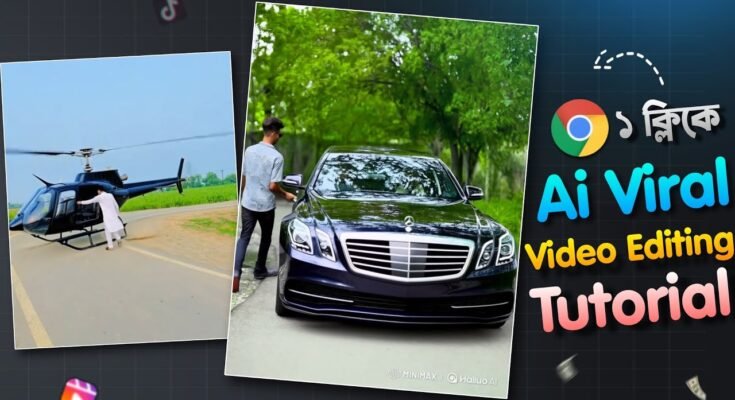
In 2025, AI-generated videos have taken over social media platforms like TikTok, YouTube Shorts, and Instagram Reels. One of the most viral trends making waves is the “Ride My Porsche” video, where creators showcase ultra-realistic, cinematic videos of Porsches—without actually needing a car or camera crew. Thanks to tools like PixVerse AI, anyone can create stunning, high-quality Porsche ride videos with just a simple text prompt.
In this guide, we’ll walk you through the entire process of generating your very own “Ride My Porsche” AI video—no camera required!
What is PixVerse AI?
PixVerse AI is a powerful text-to-video tool that lets you generate cinematic videos based purely on text prompts. This means you can imagine a Porsche speeding through a neon-lit city or cruising along a coastal highway, and PixVerse AI will turn your vision into reality—complete with stunning visuals and smooth transitions.
Key Features:
- 4K video generation
- Ultra-realistic motion and lighting
- Multiple style presets: Realistic, Cinematic, Anime
- Fast video generation time (30-60 seconds per video)
With PixVerse AI, the possibilities are endless. You can create ultra-realistic car videos without needing a physical car or any filming experience.
Why Do “Ride My Porsche” AI Videos Go Viral?
The “Ride My Porsche” trend has become a sensation on social media due to its perfect combination of luxury, visual appeal, and emotional engagement. Here’s why these videos are so easily shareable:
1. Aspirational Appeal
Porsche is a symbol of luxury, success, and power. These videos tap into the dream of owning such a car, creating an aspirational narrative.
2. Cinematic Visuals
The hyper-realistic, cinematic visuals generated by PixVerse AI make the videos visually stunning, with smooth transitions and breathtaking angles.
3. Emotional Engagement
Themes of freedom, ambition, and living the dream resonate deeply with viewers, creating a strong emotional connection.
4. Viral Hashtags
Hashtags like #RideMyPorsche, #PorscheLife, and #DreamDrive make these videos even more discoverable.
When you combine all of these elements with the power of AI, you have a recipe for virality.
Step-by-Step Guide to Create Your Own “Ride My Porsche” Video
Ready to create your own viral Porsche video? Here’s a simple, step-by-step guide on how to use PixVerse AI to generate your video in minutes.
Step 1: Sign Up for PixVerse
Visit PixVerse.ai and create a free account. If you already have an account, simply log in.
Step 2: Craft an Engaging Prompt
Your text prompt is the heart of your video. The more detailed and creative your prompt, the better your video will turn out. Here’s an example to get you started:
“A sleek black Porsche 911 Turbo S cruising through a neon-lit futuristic city at night, cinematic lighting, smooth camera transitions, 4K ultra-HD, vaporwave color grading.”
Other Prompt Ideas:
- “Porsche speeding along a mountain road at sunrise, aerial drone view, dreamy lens flares.”
- “POV from inside a Porsche cockpit on an empty highway, ambient lighting, 4K clarity.”
Step 3: Customize Your Video Settings
Once you’ve written your prompt, you can customize the following settings within PixVerse AI:
- Video Length: Ideal length is between 5–15 seconds for optimal engagement.
- Aspect Ratio:
- 9:16 for TikTok, Instagram Reels, and YouTube Shorts.
- 16:9 for landscape videos (e.g., YouTube).
- Style Presets:
- Realistic for lifelike quality.
- Cinematic for dramatic, film-grade visuals.
- Anime for a more artistic or niche appeal.
Step 4: Generate and Download Your Video
Click Generate, and in about a minute, your video will be ready! Preview it, make any adjustments if needed, and download your video in HD or 4K resolution.
Tips for Maximizing Engagement on Social Media
Now that your video is ready, it’s time to share it with the world. To maximize engagement and increase the chances of your video going viral, follow these tips:
1. Use Captivating Captions
- “POV: Living the dream. #RideMyPorsche”
- “Can you believe this was made with AI? 🤯 #PixVerseAI”
- “Manifesting my dream ride. No camera, no car, just AI.”
2. Smart Hashtags
Incorporate trending hashtags such as:
- #AIgenerated
- #PorscheLife
- #LuxuryLifestyle
- #PixVerseCreation
3. Pair with Trending Sounds
Use viral audio tracks to make your video stand out. Check platforms like:
- Tokboard for trending TikTok music.
- ReelTrends for Instagram audio trends.
Hidden PixVerse Features You Should Know About
PixVerse offers several features that can help take your AI video to the next level:
🎨 Style Presets
- Realistic: Perfect for lifelike visuals.
- Cinematic: For a dramatic, film-like effect.
- Anime: A great choice for niche or artistic content.
📐 Aspect Ratios
- 9:16: Vertical for TikTok, Reels, and Shorts.
- 16:9: Horizontal for YouTube videos.
- 1:1: Square for Instagram feed or Facebook posts.
🎧 Coming Soon: Audio Syncing
PixVerse is planning to launch built-in audio and voiceover features, so stay updated by joining their newsletter or Discord.
SEO Tips for AI Video Creators
If you want your “Ride My Porsche” video to gain more views on YouTube or your blog, here are some SEO tips to keep in mind:
1. Use the Right Keywords
- Main Keyword: “Ride My Porsche AI Video”
- Include the keyword in your title, meta description, and headings.
2. Suggested Long-Tail Keywords
- AI car video generator
- How to make Porsche AI videos
- Create luxury AI videos with PixVerse
3. Internal Link Ideas
- Top 5 AI Video Generators in 2025
- How AI Is Transforming TikTok Marketing
Viral Title Ideas for YouTube or Reels
Need a catchy title for your video? Here are some options:
- “POV: My First Ride in a Porsche (AI Generated)”
- “You Won’t Believe This Porsche Video Was Made with AI”
- “Dream Car, No Camera: Watch This AI Magic”
- “From Text to Porsche in 10 Seconds”
Frequently Asked Questions (FAQ)
1. Do I need a real car or footage to create a video?
No! PixVerse AI generates everything from a text prompt—no car, camera, or crew required.
2. Is PixVerse free?
PixVerse offers free credits upon signup. For advanced features like longer videos or 4K exports, you might need a paid plan.
3. Can I insert myself into the video?
Yes! Tools like Runway ML or Pika Labs allow you to merge AI videos with personal footage via green screen or compositing.
Final Thoughts
As AI continues to shape the content creation landscape in 2025, tools like PixVerse offer endless creative possibilities. Whether you’re an influencer, digital creator, or tech enthusiast, creating viral content has never been easier.
So, what are you waiting for? Try PixVerse today and start creating your own viral “Ride My Porsche” videos!